


Table of Contents
This guide will walk you through setting up WhatsApp integration for your AISK.CHAT chatbot.
🚀 1. Introduction #
This guide explains how to integrate WhatsApp with the AISK Plugin using the Twilio WhatsApp API. It will help you set up webhooks, configure API credentials, and manage user messages.
⚙️ 2. Prerequisites #
Before integrating WhatsApp, ensure the following:
- ✅ A Twilio account with WhatsApp API access.
- ✅ A verified WhatsApp Business number on Twilio.
- ✅ AISK Plugin installed and activated.
- ✅ Webhook URL configured in Twilio.
🏗 3. Configuration Steps #
📌 Step 1: Twilio Setup #
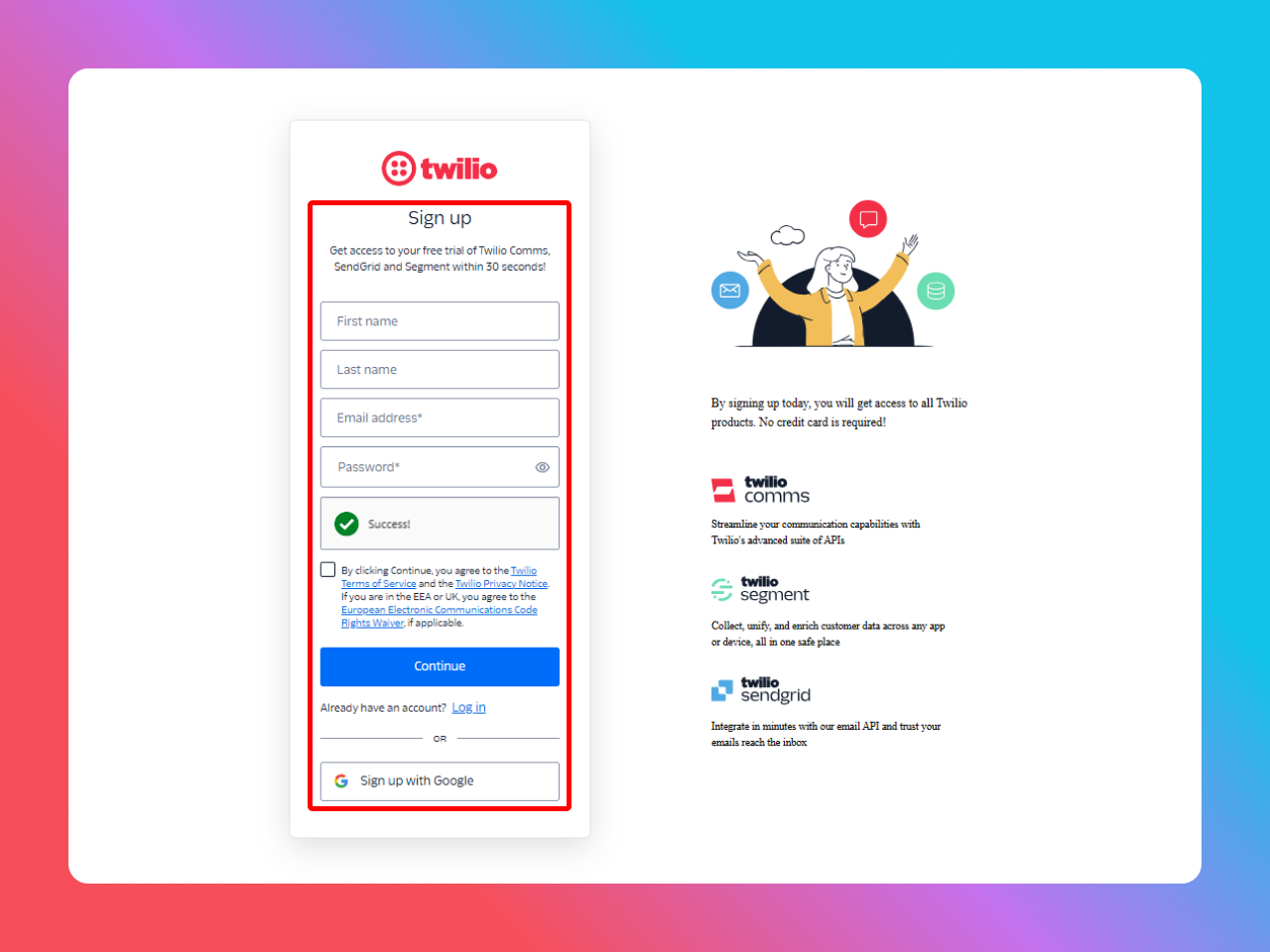
- Log in or Sing Up or Sign up with Google to your Twilio Console. (https://www.twilio.com/try-twilio)
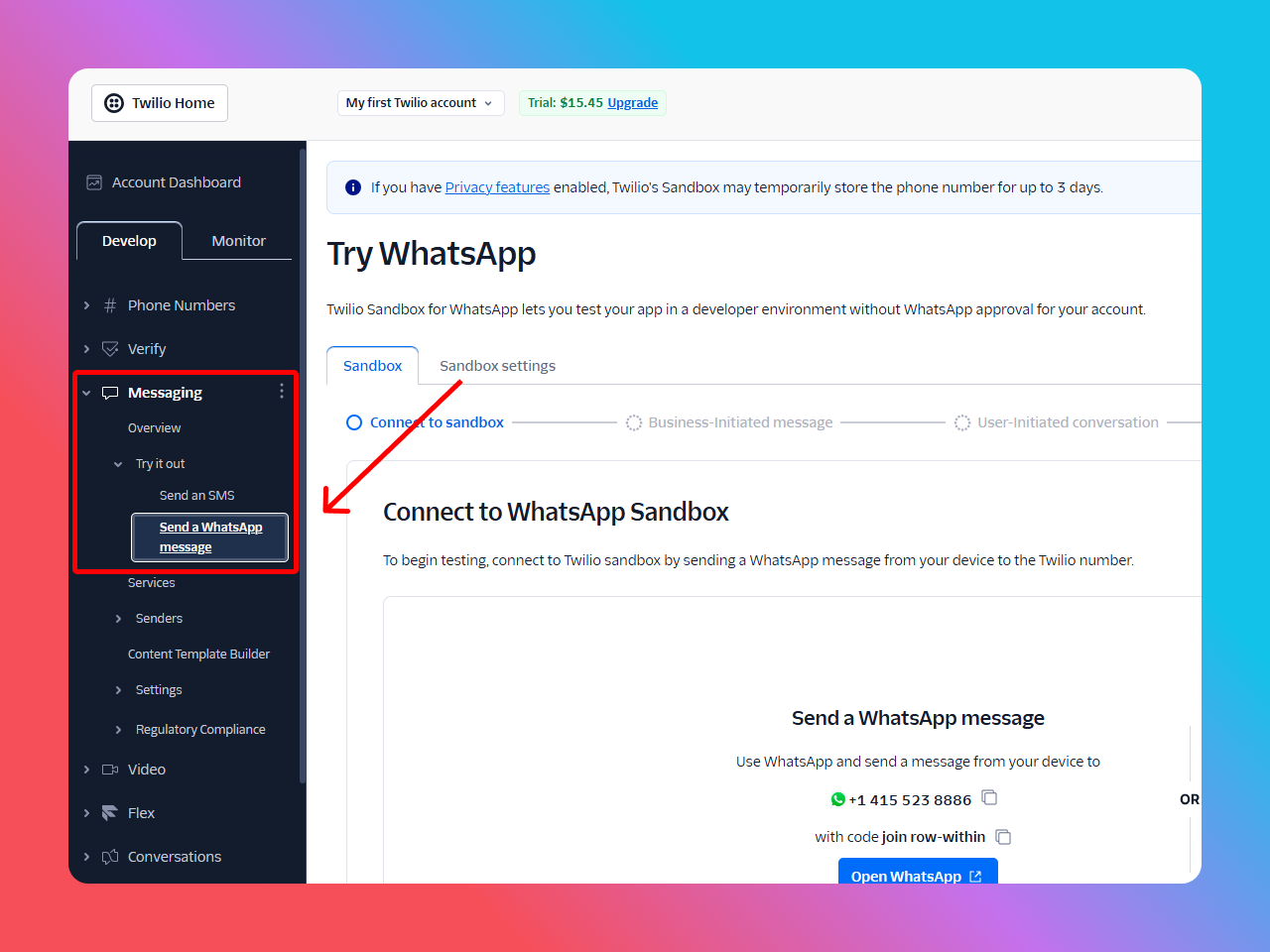
- Navigate to Messaging → Try it Out→ Send a WhatsApp Message
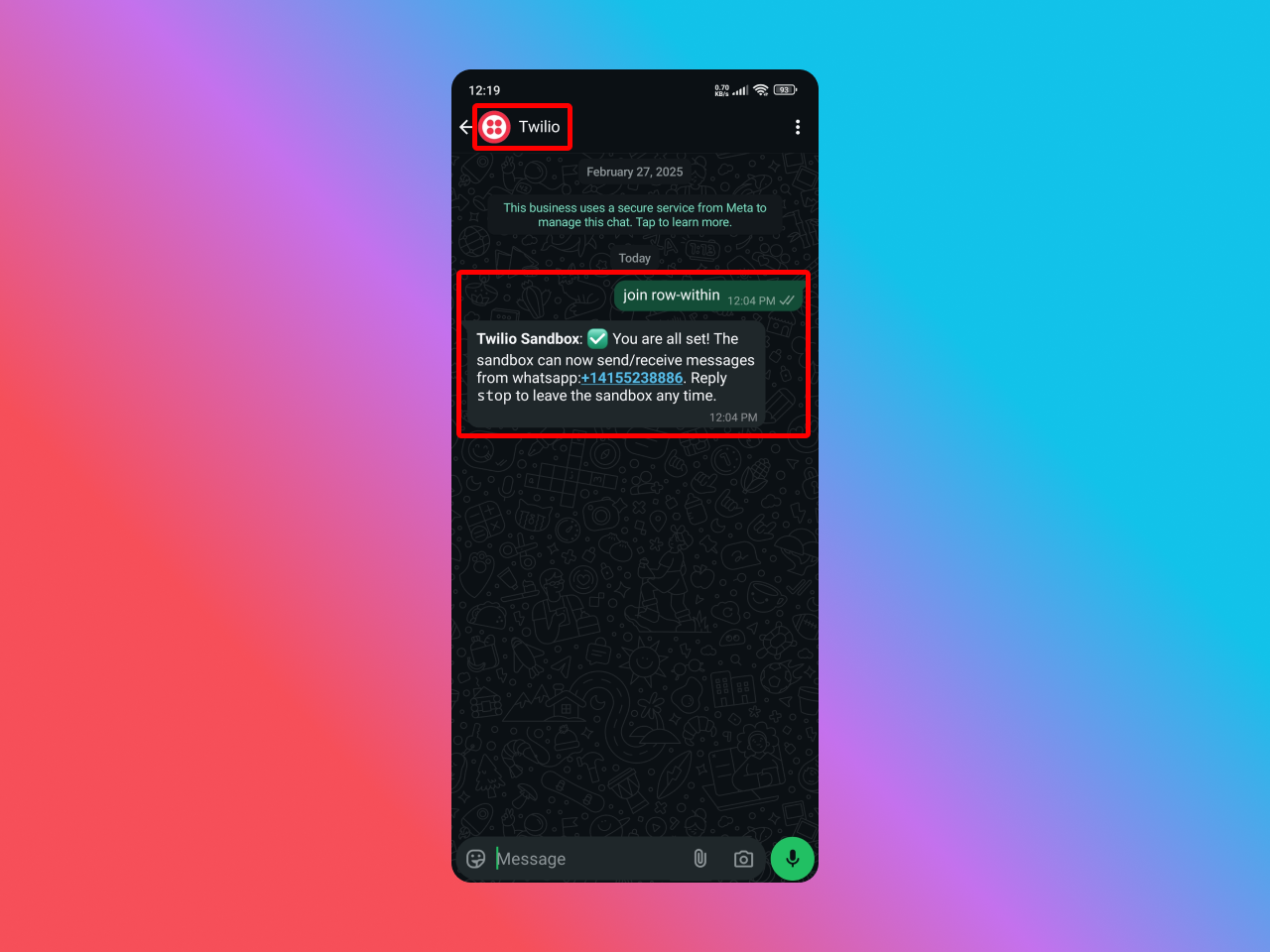
- Go https://console.twilio.com/us1/account/keys-credentials/api-keys Copy Account SID and Auth Token

- Copy The “WhatsApp Number”
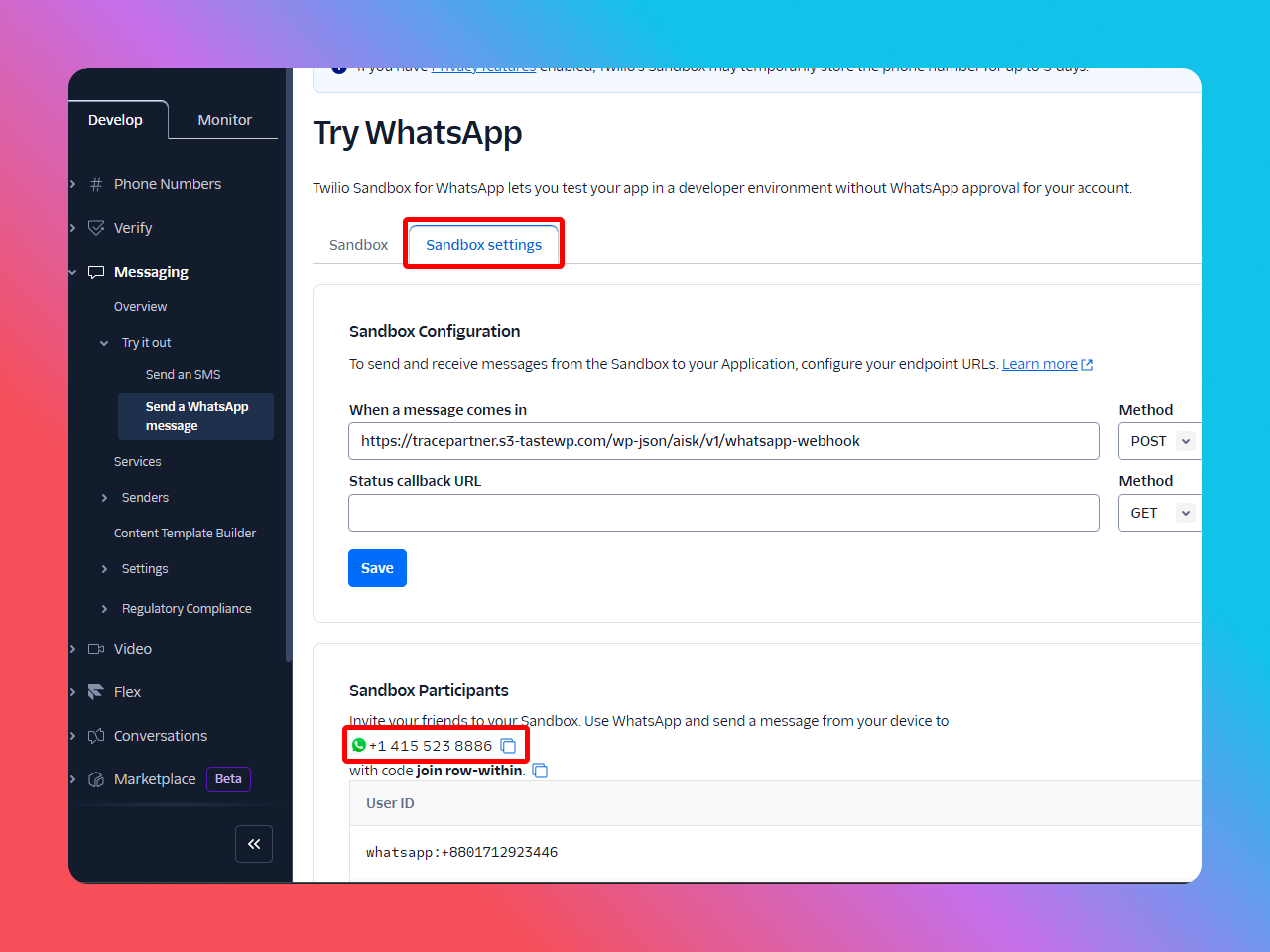
- In Webhook Configuration, set the following:
- Webhook URL:
https://your-site.com/wp-json/aisk/v1/whatsapp-webhook - HTTP Method: POST
- Webhook URL:
- Paste your Webhook URL here
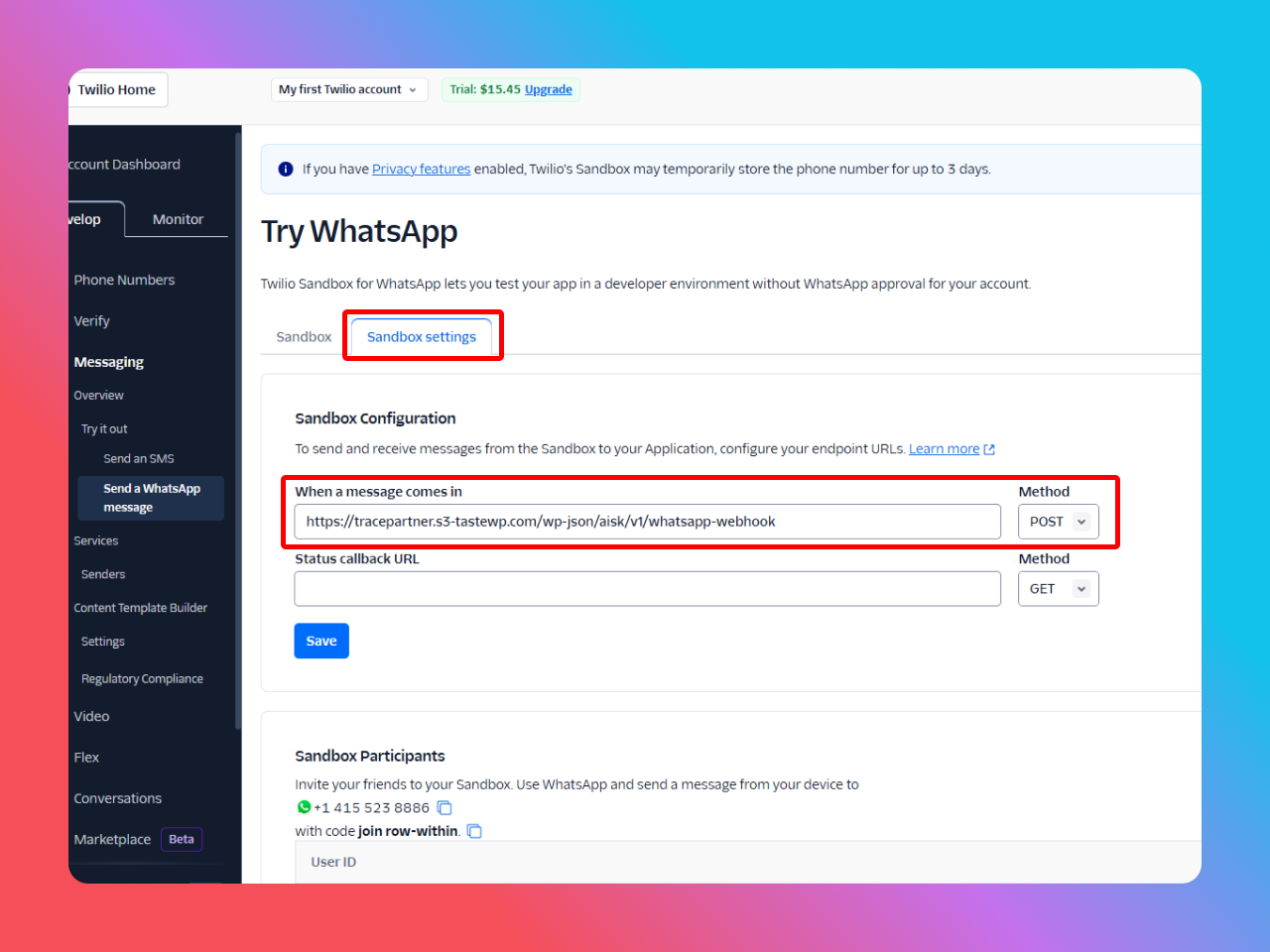
- “Save” Settings
💬 4. Handling WhatsApp Messages #
The plugin supports:
- Message Handling: Processes user messages and sends responses.
- Order Inquiries: Allows users to submit inquiries for specific orders.
- Product Info: Displays product details on user request.
📌 Key Commands for Users: #
- Product Inquiry: Users can ask about products directly.
- Order Inquiry: If the user types “YES” after receiving an order summary, they can start an inquiry process.
- Cancel Inquiry: Typing “cancel” exits the inquiry flow.
🛡 5. Webhook Security #
The plugin verifies incoming webhook requests using Twilio’s signature verification. Ensure your Auth Token is correctly saved in the settings to avoid unauthorized access.
🛠 6. Troubleshooting #
- ❌ Issue: Webhook not triggering
✅ Fix: Verify the webhook URL in Twilio and ensure your site has SSL enabled. - ❌ Issue: “WhatsApp: Missing Twilio auth token”
✅ Fix: Check the Auth Token in AISK settings. - ❌ Issue: Invalid Signature Error
✅ Fix: Ensure URL and parameters in Twilio match your webhook settings.
Support #
If you need help:
- Check our FAQ section
- Contact support through our website
- Visit our documentation portal
- Join our community forum


Leave a Reply