On this page
- What customers can do in Telegram
- What you need
- Step 1: Make sure the website bot is right
- Step 2: Create the bot with @BotFather
- Step 3: Paste the token in WordPress
- Step 4: Tell people the username
- Product carousels and orders
- One inbox
- Costs and privacy
- If the bot stays silent
- Keep it in sync
- Frequently asked questions
Telegram is already where a lot of buyers and community members talk. A Telegram chatbot for WordPress puts your actual site answers in that thread — not a second FAQ you will forget to update.
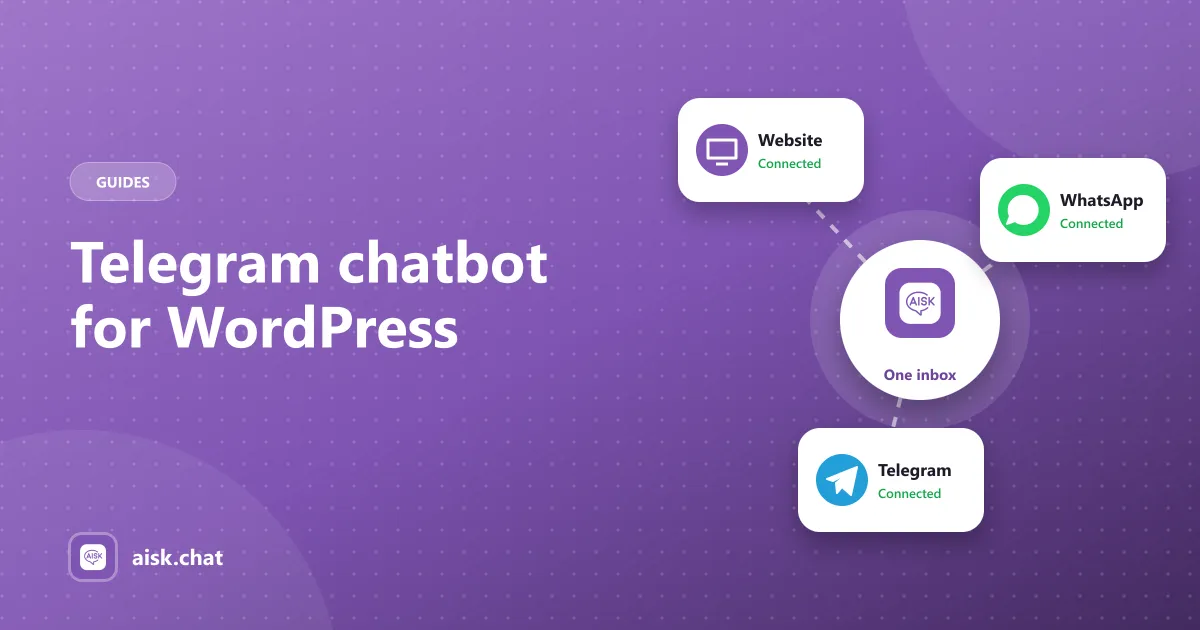
Aisk uses one assistant across the website widget, WhatsApp and Telegram. This guide is the Telegram-only setup: BotFather, what customers can do in the app, and how to keep the three channels honest.
What customers can do in Telegram
With Aisk connected they can:
- Ask anything your knowledge base covers — hours, policies, how-tos
- Search products by description, color, size or category
- Browse product carousels with images and links (Telegram-specific)
- Track an order with order number and email
- Open a support ticket when they need a person
WhatsApp gets the same answers and order lookup, but not the carousel layout. Channel overview: sell on WhatsApp and Telegram. Store angle: WhatsApp chatbot for WooCommerce.
What you need
- WordPress with Aisk installed and an OpenAI API key
- Embeddings already generated (prove the website widget first)
- A Telegram account, to talk to @BotFather
- WooCommerce only if you want catalog search, carousels and orders
You do not need a Telegram Business subscription. You do need to treat the bot token like a password.
Step 1: Make sure the website bot is right
Telegram will not fix a thin knowledge base. In a private window, ask the site widget a policy question, a product description, a test order, and a question it should refuse. Fix pages and regenerate embeddings until those four behave. Training guide.
Step 2: Create the bot with @BotFather
- Open Telegram and start a chat with @BotFather.
- Send
/newbot. Choose a display name and a username that ends inbot. - Copy the token BotFather returns. Do not paste it into a public ticket or a screenshot.
- Optional:
/setdescriptionand/setabouttextso people know this is your store or site assistant, not a random bot. - Optional:
/setuserpicwith your logo.
You can create as many bots as you want. One Aisk site uses one token.
Step 3: Paste the token in WordPress
- Go to Settings → Aisk and open the Telegram section.
- Paste the bot token and save.
- In Telegram, find your bot by username and send a normal sentence — not
/startonly. Ask something your site can answer.
No reply? Confirm the token has no extra spaces, the OpenAI key is valid, and embeddings exist. Then send another message; a first contact after a settings save is the usual test.
Step 4: Tell people the username
A Telegram bot is invisible until you publish the handle.
- Add
https://t.me/YourBotUsernameon the contact page and footer - Mention it in order emails next to WhatsApp
- Put it in the website chat welcome message
If you run a Telegram group or channel, pin the bot username. Do not add the bot as a chaotic group admin unless you have tested how it behaves with many senders — Aisk is built for customer conversations, not moderating a community.
Product carousels and orders
For stores, enable the WooCommerce integration before you advertise Telegram.
- Carousels need real images and prices on the products. Empty catalog fields make empty cards.
- Descriptions and attributes still drive whether the right product appears. Product recommendation chatbot.
- Order tracking still requires order number and email. Order tracking.
One inbox
Website, WhatsApp and Telegram threads show up in the omnichannel dashboard. You can read history, see the channel, and pick up a ticket without asking the customer to repeat themselves.
Set support details and tickets in Aisk so a Telegram user who says “I want a person” is not stuck. WordPress customer support chatbot.
Costs and privacy
- Aisk — free, no channel add-on. Features.
- OpenAI — the same per-message usage as the website widget. Costs.
- Telegram — the Bot API does not bill you per message the way Twilio WhatsApp does. You still pay OpenAI for the reply.
Messages go through the Telegram Bot API; replies are generated with OpenAI. Name both in your privacy policy. Privacy.
If the bot stays silent
Work through these in order:
- The token in Aisk matches BotFather with no trailing space or extra line.
- You saved Settings → Aisk after pasting.
- The OpenAI key still works on the website widget.
- Embeddings exist — an untrained site produces nothing useful on any channel.
- You messaged the bot username you created, not @BotFather.
Telegram will not show a typing indicator from WordPress while PHP is cold on a quiet host. Wait a few seconds on the first message of the day.
Keep it in sync
There is nothing Telegram-specific to retrain. When you change a policy or add products, regenerate embeddings once. All three channels pick it up.
If you are still choosing a plugin rather than connecting a channel, start with the WooCommerce chatbot plugin checklist.
Setup reference: docs. Install the plugin from WordPress.org.
Frequently asked questions
How do I add a Telegram chatbot to WordPress?
Install Aisk, connect your OpenAI key and generate embeddings. In Telegram, message @BotFather to create a bot, copy the token, paste it into the Telegram section of Settings → Aisk, save, then message your bot to test.
What can customers do in a Telegram chatbot?
They can ask questions from your pages and PDFs, search WooCommerce products — including product carousels with images and links — track an order with the order number and email, and open a support ticket.
Do I need WooCommerce for a Telegram chatbot?
No. Any WordPress site can answer from its pages and documents. WooCommerce adds catalog search, carousels and order lookup.
Is the Telegram chatbot a separate AI from the website widget?
No. Aisk runs one assistant. Website, WhatsApp and Telegram share the knowledge base, product data and ticket inbox.
Aisk Team
We build Aisk, the free AI sales chatbot for WordPress and WooCommerce. Questions about this article? Ask in thesupport forum.